How to Use Our Catalog
Login to Your Account
Click HERE to login to your account, or click on the top-right side of your browser at "My Account."
- Library Card Number: (the 14-digit number on the back of your library card, no spaces)
- PIN/password: (usually the last 4 digits of your phone number)
- Forgot your password? Click "Reset My PIN/password" to receive an emailed password reset link.
Account Navigation (Left-most Menu)
Materials on Your Account
- Checked out Titles (includes physical AND digital Libby/Hoopla)
- If a title is eligible for renewal, you can click the green 'RENEW' button
- Titles on Hold (includes physical AND digital Libby
- Ready-for-pickup holds display at the stop
- See what space in line you are on the waitlist
- Freeze and thaw your holds (not interested any more, but will probably want to read the book soon again)
- Fines
- Materials Requests
Extras (customized to your liking)
- Recommended for You (based on your book ratings inside the catalog)
- Your Lists
- Your Searches
- Reading History (past checkouts)
Account Settings
- Your Preferences (including display language)
- Contact Information
- Messaging Settings
- Reset PIN/Password
- Libby Options
- Hoopla Options
Searching for items
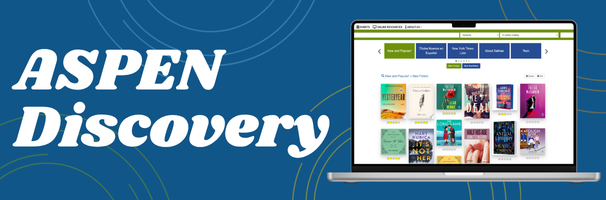
To search the catalog, type in the text field shown above. You can type in a keyword, an author, a title – whatever you’re looking for, then click Search. Narrow your search by using the filters on the left side.
Your search results will show each title with all the available formats for that title. No more scrolling through search results to find the format you’re looking for, because it’s all right here!
Available copies will show up in green, bold text. Otherwise, you can place a hold to have an item delivered to your preferred location. You can even conveniently add a title to your lists to return to it later!
Viewing Search Results
Use the search tools on the right side to save the current search and be notified when new title. This way, you can look for your favorite authors, save the search results and know when the library receives their newest title.
Using the sort option lets you decide how results are displayed and clicking on the title will show more details about the item your are interested in. You can also rate titles and receive suggestions from Aspen based on those ratings.
Viewing and Managing Checked Out Titles
View checkouts from the Checked Out Titles screen. If a title can be renewed, you’ll see the Renew button. Are you enjoying your current checkouts? Click the “You Might Also Like” button to see recommendations of similar titles!
Most of the items in our collections renew automatically if there is no hold placed by another patron, but you may renew your checked out titles manually on this page.
Viewing and Managing Holds
Manage your holds from the Titles On Hold screen. Holds ready to pick up will show in the top section. Holds you’re still waiting for will appear under Pending Holds. Here you can cancel any hold you no longer want, Freeze a hold to pause it or Thaw a hold when you’re ready. You can also change your pickup location if the hold has not yet been fulfilled.
Aspen Lida App
Easily manage your account, browse the collections, and check out eBooks with the new Aspen LiDA App. Most of the functions of the online catalog can be conveniently found in the app.
Click HERE to learn more in our 'Download It' section.
My Library Card isn't Working
Have you ever had a library card with the Salinas Public Library, but it's old, lost, or expired? Forgot your PIN? Think you need to start over again with a replacement card?
Read below for our most common library card issues with their solutions:
I Lost Access
- I lost my library card years ago.
- We've all been there. Come in-person to one of our three branches with a valid photo ID and $2 for the replacement library card fee, and we can restore your access.
- Welcome September, where replacement library cards are FREE!
- I can't remember my library card's login information (PIN, password, email, etc)
- Most passwords are the last four digits of the phone number used to register the account. If that still doesn't work, you can request a password reset link HERE.
- Come in-person to one of our three branches with your library card or photo ID and staff can update your login and contact information right then.
- My library card is blocking me from using online services (my card expired)
- To renew your library card if you have changed addresses, we will need to verify your updated address from documents like mailed bills, a rental agreement, etc
- Digital Access Card types: excess expires once the card has been registered for 90-days and is non-renewable, and so restoring access does require coming in-person to upgrade your library card to a renewable option.
- Click HERE to verify which proofs of identity and address are accepted.
I Still Have Overdue Materials and High Library Fees
In a majority of cases, all lost/need replacement AND processing fees are WAIVED OFF YOUR ACCOUNT when the materials are returned in good condition under 6 months from the due date.
To enjoy completely fee-less library resources, check out our 'Download It' webpage by clicking HERE for our library apps and our Research and Learning page by clicking HERE for our online resources.
- I have overdue library materials I haven't returned in a really long time, and my account is charged a lot of fees.
- I lost the items and they cannot be located: Account balance charged is accurate. Click HERE to learn about payment.
- I still have the items and know where they are located: Please refer to the chart below
| Items were overdue... | Item Condition | Replacement/Lost Fee (Charged) | Processing Fee (Charged) | Fixable Damage Fee (Added) | After Items are Returned |
| / | Good | WAIVED | WAIVED | NA | $0 balance |
| Less than 6 months ago |
Damaged (fixable) | WAIVED | WAIVED | + $5/item | Current account fees waived, but add +$5/item damaged |
| \ | Damaged (severely) | Charged, but eligible for equal replacement* |
Charged | NA | Account balance charged is accurate. Click HERE to learn more about payment options. |
| / | Good | WAIVED | +$5 per item re-added to shelf |
NA | The largest fee is waived, but keep +$5/item re-added |
| Greater than 6 months ago |
Damaged (fixable) | WAIVED | +$5 per item re-added to shelf |
+ $5/item | The largest fee is waived, but keep +$5/item re-added AND add +$5/item damaged |
| \ | Damaged (severely) | Charged, but eligible for equal replacement* |
Charged | NA | Account balance charged is accurate. Click HERE to learn more about payment options. |
I can't tell what condition my overdue library materials are.
- Fixable Damage: multiple ripped pages, RFID tag damage, spine break, etc
- Severe Damage: a foul odor, large tears, missing front or back cover, missing pages, etc
- Still have questions? Contact us by email at library [at] salinas.gov or phone at (831) 758-7311
My account's overdue fees from a decade ago are massive even though I returned all my materials.
- Come in-person to any one of our three branches and we will remove those overdue fees from pre-elimination (July 2022)
I have so many fees on my account that the library blocked my card from borrowing.
- Our online resources and econtent are always available 24/7 to every cardholder with an active library card and smart device
- For more information about our on-demand digital resources with no damage or processing fees, click HERE to browse our 'Download it" webpage and HERE to browse our "Research and Learning"
 Facebook
 Twitter
 Instagram
 Youtube